

HUD & visuals
Only what you need on screen
Everything here is drawn over Roblox from outside the game window. You switch each part on in the app under Visual / Indicators.
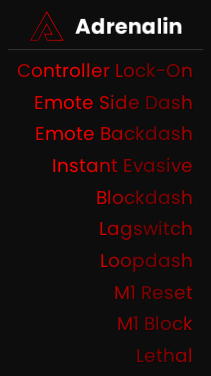
In-game recording
Recorded M1 Reset in The Strongest Battlegrounds, with the app's dash bars and module list shown over it as an example.
On screen
What the app draws over Roblox
Cooldowns
- Dash barsFront and side dash cooldowns, ping-adjusted
- Evasive barThe 30-second evasive cooldown
- Auto ZoomKeeps your Roblox zoom where you set it
Overlays
- Module listActive macros in the corner, with gradient colours
- Saitama detectionCircles ulted and death-counter players. External mode
- Evasive detectionShows when others use evasive. External mode
Set these up in the app under Visual / Indicators. Detection needs External mode, which is off by default.
Everything the HUD can show
Each item is switched on in the app under Visual / Indicators. Detection needs External mode, which reads game state from outside the process. With the menu open, you can drag the bars and the module list into place.
| Item | What it shows | Games | Needs |
|---|---|---|---|
| Dash bars | Front and side dash cooldowns, with the size, glow and text you set and ping compensation | TSB, JJS | Nothing extra |
| Module list | The macros you have on, with gradient colours, sort options, a watermark and a flash when one turns on | TSB, JJS | Nothing extra |
| Notifications | When you toggle a macro or it fires, and the server region when you join a game | TSB, JJS | Nothing extra |
| Auto Zoom | Keeps your Roblox zoom where you calibrated it, and calibrates itself when you join TSB | TSB, JJS | Nothing extra |
| Evasive bar | Your 30-second evasive cooldown, with grace for lag spikes | TSB | Nothing extra |
| Saitama detection | Circles players who are ulted or on a death counter, in colours you choose | TSB | External mode |
| Evasive detection | Shows on your dash bars when another player uses evasive | TSB | External mode |